For one office
Courier dispatch and billing,
small and simple.
Orders, a dispatch board, invoices and messenger pay for one office, on screens that feel like the program you've used for years. Prices stay put, mistakes can be fixed, and your records back themselves up.
Nothing to install. Works on Mac and Windows. No card needed for the trial.
Why Dispatchling
Built for the courier shop that can't lose a day.
It was built for a New York messenger company whose old dispatch program crashed with no backup. It does the same job, and it can't lose your records the same way.
Looks like what you know
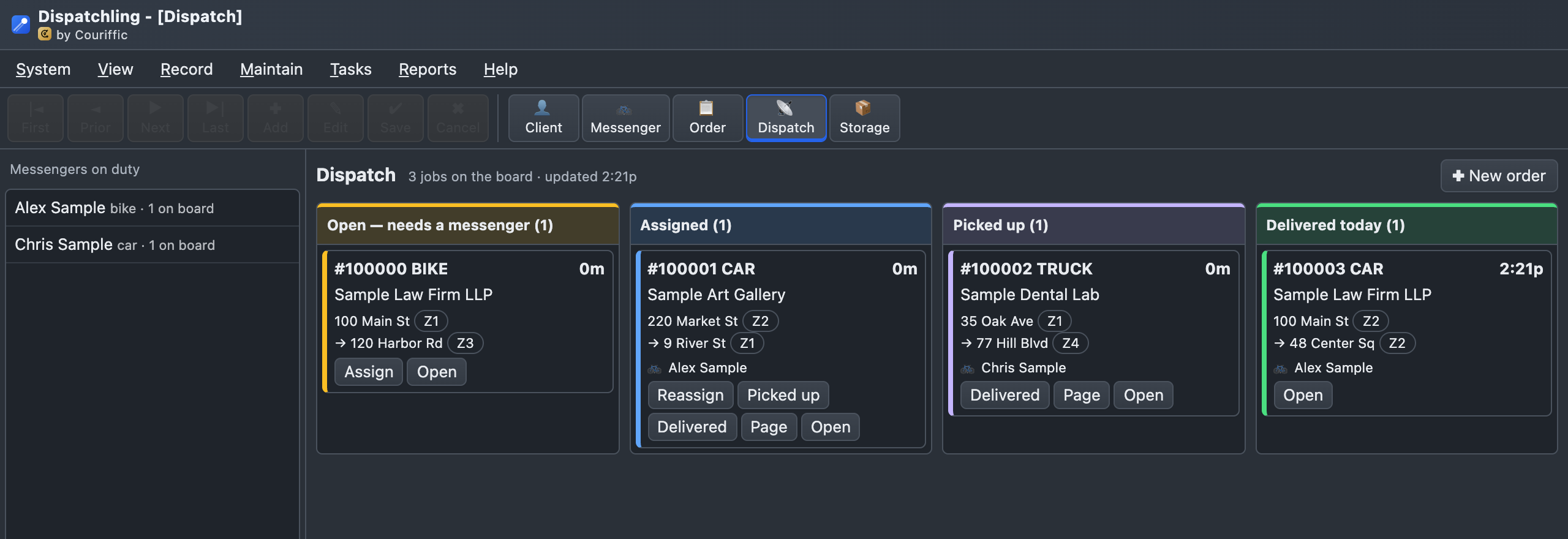
Record screens, menus and keyboard shortcuts like classic dispatch software. No retraining.
Never lose your records
Backups run by themselves to your Dropbox, Google Drive or OneDrive folder, minutes after every change.
Prices stay put
An order keeps the price it was taken at, even when you change your rates.
Fix mistakes after
Edit an invoiced order and the invoice follows. Credits, voids and undo, each recorded with who did it.
Features
Everything a small office runs on.
One program from the phone call to the paycheck.
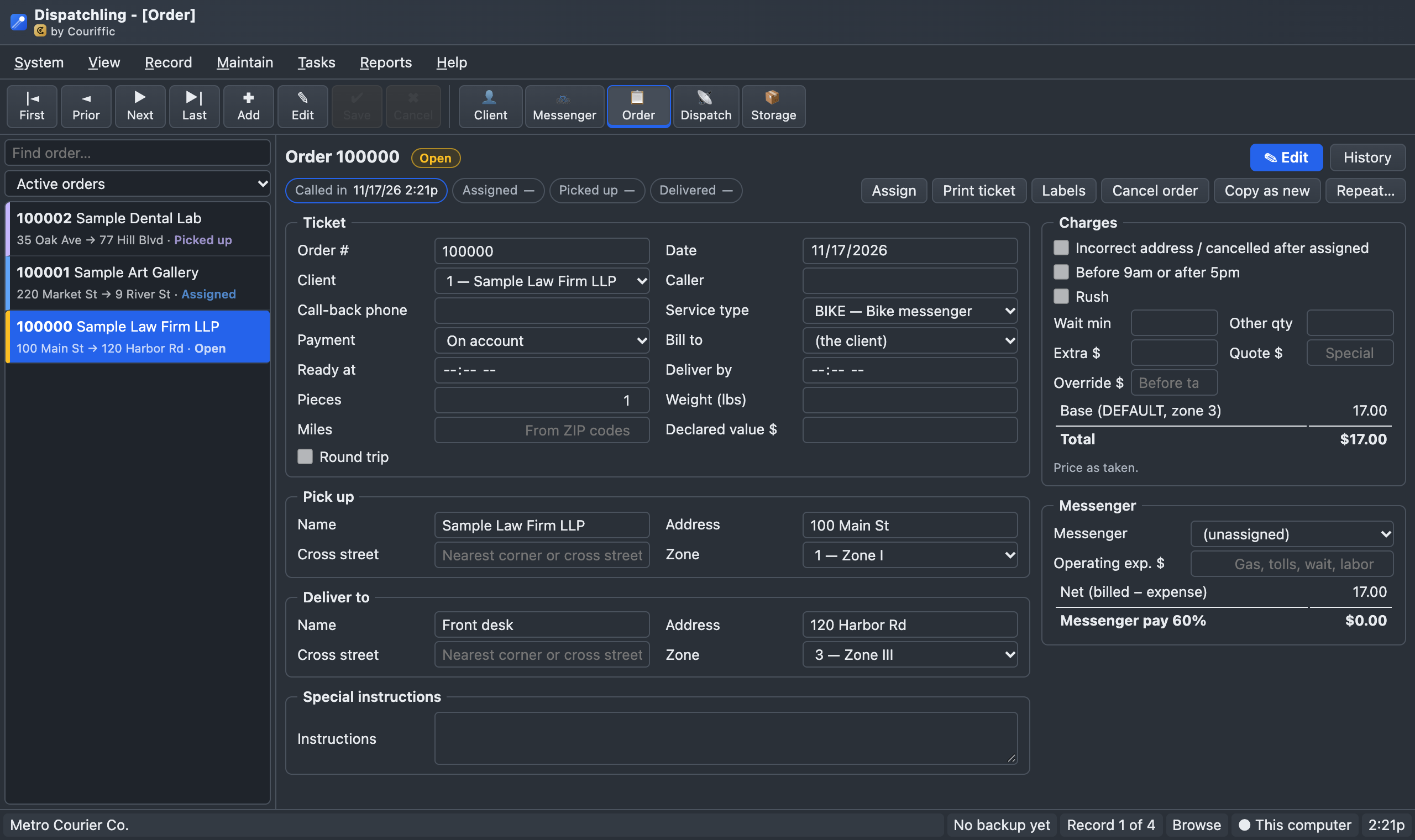
- Order entry with find-by-phone, saved addresses and zones filled in as you type
- Extra stops on one job, and jobs booked ahead
- Dispatch board with a color for every status
- Zone, distance or flat pricing; client rates; fuel surcharge
- Standing orders that create themselves each morning
- Invoices and statements with your logo, late fees and payments
- Bill a branch's jobs to its head office
- Messenger pay by percentage, off the top, or flat per job
- Package labels, one per piece
- Storage billing, only for clients who store goods
- End of day, sales and receivables reports
- Export to QuickBooks Desktop or Online; import clients from Excel
- A login for each person, with who-can-see-pay controls
- Light and dark mode
Pricing
One price. Free for 30 days.
After the trial, everything you entered stays yours to open, print and export, whether or not you buy.
Dispatchling
- A single file: double-click to open
- Records stay on your computer
- Automatic backups to your own cloud folder
- All features and every update
- Email support
Couriffic
The full platform, for a growing courier company.
- A phone app for your messengers
- Clients order and track online
- Several people working at once, from anywhere
- Bring your clients, orders and invoices over in one file
Questions
Good to know.
Do my messengers need an app?
No. Dispatchling is for the office. Messengers carry on as they do now, and you can page them with a text from any order.
Where are my records kept?
On your computer, inside your web browser, and in the backup folder you pick. We don't receive them, and we never see, sell or share them.
Can I bring in my client list?
Yes. Import it from Excel or a CSV under System ▸ Utilities ▸ Import Clients. Columns are matched for you.
What happens if I stop paying?
Nothing is deleted. Dispatchling stops taking new orders, but you can still open, print, export and back up everything you entered.
Which computers does it run on?
Any recent Mac or Windows PC. Use Chrome or Edge for the automatic backups.
What if we grow?
Move up to Couriffic. In Dispatchling, choose System ▸ Backup/Restore ▸ Save a backup for Couriffic, then bring that file into Couriffic.
How do I get help?
Email zmrtnllc@gmail.com. We answer within one business day.